



While many start spring cleaning by tackling closets, the true buildup of clutter for most businesses often hides elsewhere.
It might be tangled in a server rack, boxed up in storage, stacked in a back office, or piled high under a "deal with later" sign.
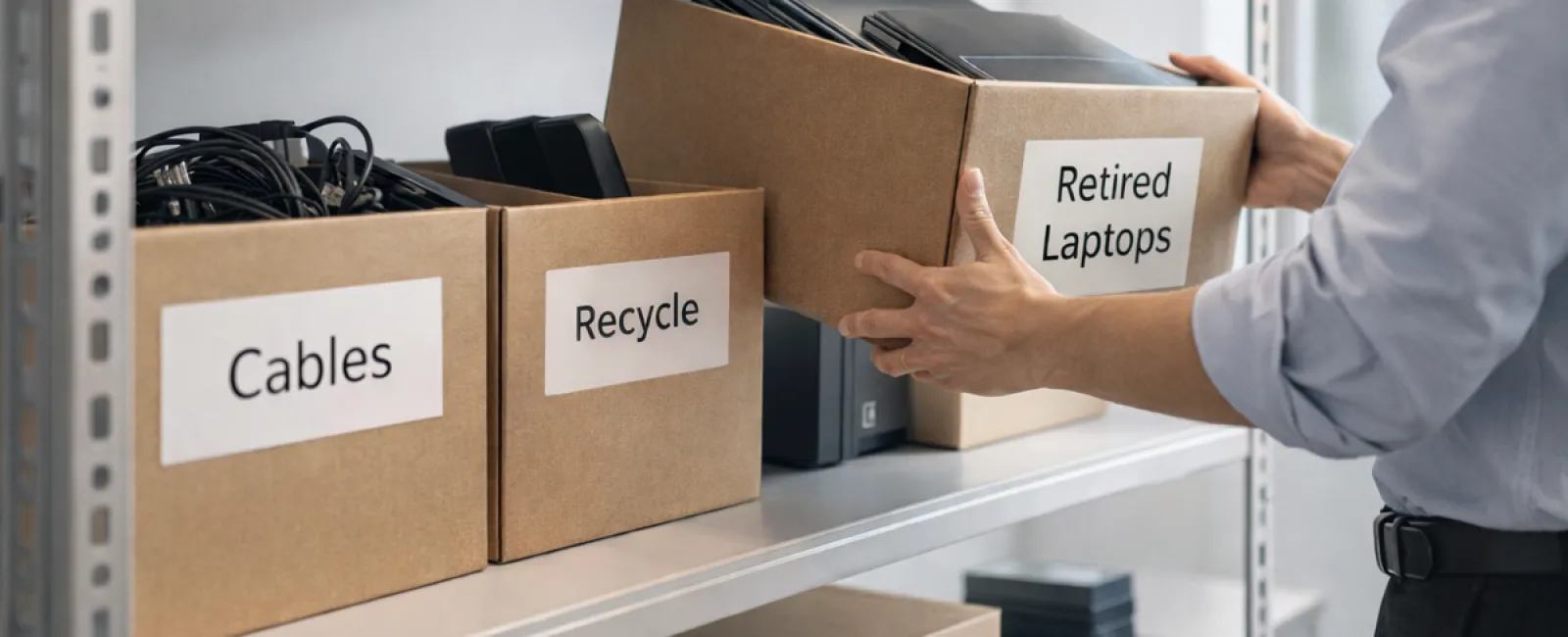
Outdated laptops. Obsolete printers. Backup drives from old upgrade cycles. Cables saved "just in case" but never used.
Every business accumulates these tech relics over time.
The real question isn't if you have them, but rather: do you have a smart strategy for what comes next?
Technology Lifecycle Demands Thoughtful Retirement, Not Just Purchase
When investing in new tech, the reasons are obvious: enhanced speed, improved security, greater capabilities, and support for growth.
Most companies carefully plan technology acquisitions, yet few design a clear exit strategy for outdated gear.
Retiring equipment usually happens quietly—replaced devices get set aside until space needs clearing.
This is normal, but what's less common is an intentional approach to tech retirement matching the care given to purchasing.
Old devices often retain value—whether reusable, recyclable, or holding sensitive stored data. But if left unattended, they can slow down operations just by existing.
Spring offers a prime moment to evaluate: Which tech still delivers value, and which is merely waste?
A Clear 4-Step Plan to Manage Tech Retirement
Ready to move beyond vague discussions? Follow this straightforward four-step framework.
Step 1: Take Inventory
Identify exactly what you're retiring: laptops, smartphones, printers, network switches, external drives? You can't manage what you don't know, and a quick survey often uncovers more clutter than expected.
Step 2: Determine the Outcome
Each device usually fits into one of three buckets: reuse (internally or donated), recycle (through certified e-waste handlers), or destroy (for sensitive data). The key is making this choice deliberately, rather than letting hardware linger indefinitely.
Step 3: Prepare Devices Correctly
Discipline here pays off.
For reuse or donation, remove devices from management systems, revoke all access, and apply verified data wiping—not just factory resets. Simply deleting files or quick formatting leaves data recoverable.
A Blancco study revealed that 42% of hard drives sold on eBay still contained sensitive personal information, despite claims of data wiping. Certified erasure tools overwrite every sector and provide proof.
For recycling, use certified e-waste providers—not dumpsters or curbside pickups. Note that programs like Best Buy's recycle only accept household waste, not business equipment.
Businesses need certified IT asset disposition (ITAD) services or specialized e-waste recyclers with e-Stewards or R2 certification. Your IT partner can assist in coordinating this.
If destruction is necessary, opt for certified wiping or physical destruction methods (shredding or degaussing) and keep a comprehensive record: device serial number, destruction method, date, and handler.
This approach isn't paranoia—it's about properly closing the technology lifecycle.
Step 4: Document & Confirm Completion
Track where retired equipment goes, how it's managed, and confirm all access rights are removed. Proper documentation prevents unresolved questions lingering later.
Tech Devices Often Overlooked
While laptops usually receive attention, many other devices get neglected.
Smartphones and tablets may still hold email accounts, contact information, or authenticators. Factory resets clear most data, but certified mobile wipe tools provide deeper security. Manufacturers like Apple and Samsung offer trade-in deals even for outdated devices, which can offset new purchases.
Printers and copiers often contain internal hard drives storing every document ever printed, scanned, or faxed. Always verify in writing that leased copiers get their drives wiped or removed before redeployment.
Batteries are deemed hazardous by EPA. Many states (such as CA, NY, MN) prohibit businesses from trashing rechargeable batteries. Remove batteries where possible, tape terminals to avoid shorts, and use certified drop-off points. Call2Recycle.org offers location maps, and many retail stores accept these for recycling.
External hard drives and decommissioned servers tend to accumulate unused. They require the same intentional retirement process as all other equipment.
The Importance of Responsible Recycling
April brings Earth Day, a fitting reminder that electronics mustn't end up in landfills.
Worldwide e-waste exceeds 62 million metric tons annually, with only around 22% properly recycled. Batteries, monitors, and circuit boards belong in certified recycling streams. Most communities provide e-waste options designed for this.
Handled correctly, technology retirement is clean, eco-friendly, and strategically advantageous. You don't have to sacrifice security for responsibility—you can achieve both.
Plus, responsibly managing tech disposal is a subtle but positive story to share with your customers online, showcasing your company's commitment without fanfare.
Unlocking Greater Potential
Spring cleaning means more than clearing clutter—it creates vital space for progress.
Replacing obsolete equipment is only part of the solution. Step back and assess: Is your technology truly empowering your business goals?
Hardware changes, but it's software, systems, automation, and well-designed processes that fuel productivity and profits.
Properly retiring old gear maintains order, while aligning your tech ecosystem with objectives ensures ongoing growth.
How We Can Help
If you already have a streamlined protocol for equipment retirement, perfect—that's how it should be: effortless and routine.
Yet, while upgrading hardware thoughtfully, it's an ideal moment to examine your bigger tech picture: Are your systems efficient? Are tools integrated? Is technology accelerating growth or merely maintaining status quo?
We're ready to help you evaluate how your tech stack, processes, and systems impact productivity and profitability—no sales pressure, just practical insights.
Click here or give us a call at 804-796-2631 to schedule your free 15-Minute Consult.
If this inspired ideas, feel free to share with fellow business owners.
Spring cleaning should extend beyond closets to the essential systems powering your business.


