
April Fools' Day pranks come and go, leaving us questioning everything for a moment. But cybercriminals never take a break.
Spring marks a peak period for cyberattacks—not because employees are careless, but because busy, distracted teams working at a fast pace create openings.
During this hectic time, cunning scams slip in unnoticed, blending seamlessly into daily routines until the damage is done.
Below are three current scams targeting alert, hardworking employees just trying to keep up.
As you review them, ask yourself: Would everyone on my team stop and think before engaging?
Scam #1: The Fake Toll or Parking Fee Text
Imagine an employee gets a text:
"Unpaid toll balance of $6.99 detected. Pay within 12 hours to avoid penalties."
The message references a legitimate toll system—E-ZPass, SunPass, FasTrak—matching their location. The small fee doesn't raise suspicion, so between meetings, they pay and move on.
But the payment link is fraudulent.
In 2024 alone, the FBI logged over 60,000 complaints about fake toll texts, with a 900% increase reported in early 2025. Scammers have created more than 60,000 counterfeit websites mimicking state toll agencies, highlighting the scam's profitability. Shockingly, even people in toll-free states have been targeted.
Why does this scam work? Because $6 seems harmless, and most have recently used toll roads or parking services—the message feels believable.
Defend your team: Genuine toll agencies never demand immediate payment via text links. Teach employees to always access the official website or app directly and never respond to suspicious texts—even to unsubscribe—as this confirms their number is active.
Remember: Convenience is the lure; proper procedure is your shield.
Scam #2: The "Your File Is Ready" Email
This scam blends effortlessly into work life.
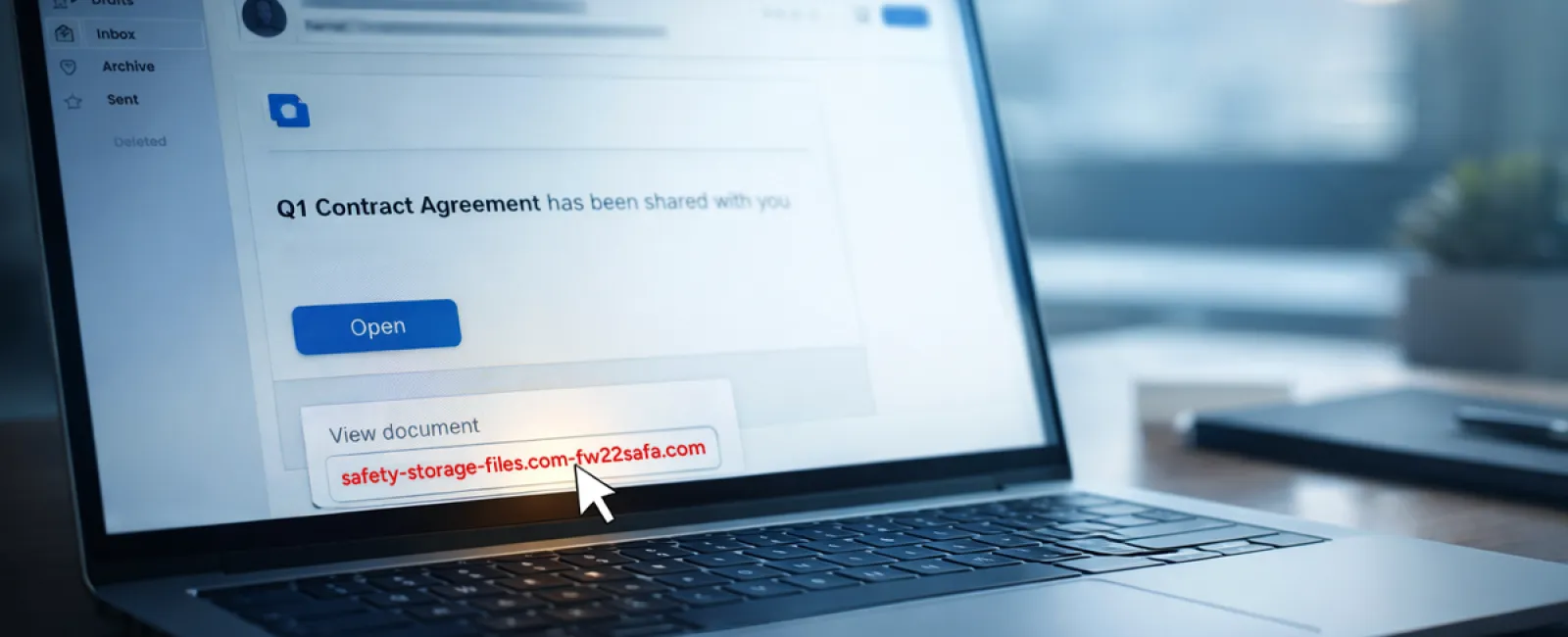
An employee receives an email indicating a shared document—often a contract via DocuSign, a spreadsheet in OneDrive, or a Google Drive file.
The sender appears legitimate, the email format familiar.
They click the link and are prompted to log in, entering their work credentials.
Now, cybercriminals have access to your company's cloud environment.
Attacks exploiting trusted platforms like Google Drive, DocuSign, Microsoft, and Salesforce surged 67% in 2025, per KnowBe4's Threat Labs. Phishing links using Google Slides jumped over 200% in six months.
Employees are seven times more likely to fall for malicious links from OneDrive or SharePoint notifications than random emails, because these alerts look authentic.
Even more troubling: attackers may use compromised accounts' sharing features to send genuine notifications from Google or Microsoft servers, bypassing spam filters entirely.
How to protect your business: Train employees not to click unexpected file links in emails. Instead, they should log in directly through the platform's website to verify. Limit external sharing permissions and enable alerts for unusual login activity—settings your IT team can activate quickly.
Consistency in cautious habits leads to powerful security.
Scam #3: The Exceptionally Polished Phishing Email
Gone are the days of clumsy phishing emails full of glaring errors.
In 2025, studies show AI-crafted phishing emails earned a 54% click rate—over four times the 12% for human-made scams.
These messages are sophisticated, using real company names, job titles, and workflows scraped from LinkedIn and company websites instantly.
They target departments specifically. HR and payroll get fake employee verification requests. Finance teams receive vendor payment change notices. One test showed 72% of staff interacted with vendor impersonation emails—a 90% higher rate than other phishing types.
The emails are calm, professional, and urgent without sounding alarmist—just like a routine day at work.
Prevent damage: Verify any requests involving sensitive data, credentials, or payment changes through a second channel like a phone call or in-person confirmation. Always hover over sender emails to inspect the domain, and treat any urgency in emails as a red flag.
True security doesn't rely on panic—it relies on verification.
The Bottom Line
All these scams exploit trust, authority, timing, and the assumption that "this will only take a moment."
The real vulnerability isn't careless employees—it's systems that expect everyone to slow down, double-check, and make perfect decisions under pressure.
If a single hurried click can threaten your business, you're not facing a people problem—you're facing a process problem.
Fortunately, these challenges are solvable.
How We Can Support You
Most business owners don't want to add another responsibility or become the go-to for cyber safety training.
They just want confidence that their business is protected from hidden threats.
If you're concerned about your team's security—or know someone who should be—let's talk.
Book a simple discovery call where we'll cover:
- Current cyber risks businesses like yours encounter
- How threats often hide in everyday work activities
- Effective strategies to reduce risk without slowing productivity
No pressure. No hype. Just honest conversations to uncover risks and explore solutions.
Click here or give us a call at 804-796-2631 to schedule your free 15-Minute Consult.
Not for you? Feel free to share this with someone who would benefit. Often, awareness is all it takes to stop a "would have clicked" turning into a "nice try."


